- Product Design
- iOS Development
- Full-Stack Development
Car companion app
An iOS app for drivers: reachable through a code on the windscreen, never by phone number
- Timeline
- 2026 (ongoing)
- Tools
- SwiftUI
- ActivityKit
- App Clips
- StoreKit
- Firebase
- Cloud Functions
- Next.js
- TypeScript
- Stripe
- Challenge
- A driver who blocks someone in, leaves the lights on or scrapes a car can only be reached through a phone number left behind the windscreen, for anyone to copy.
- My role
- Founder, sole Product Designer & Full-Stack Developer
- Outcome
- In progress: an iOS app, its App Clip and a web app, ahead of launch
The Problem
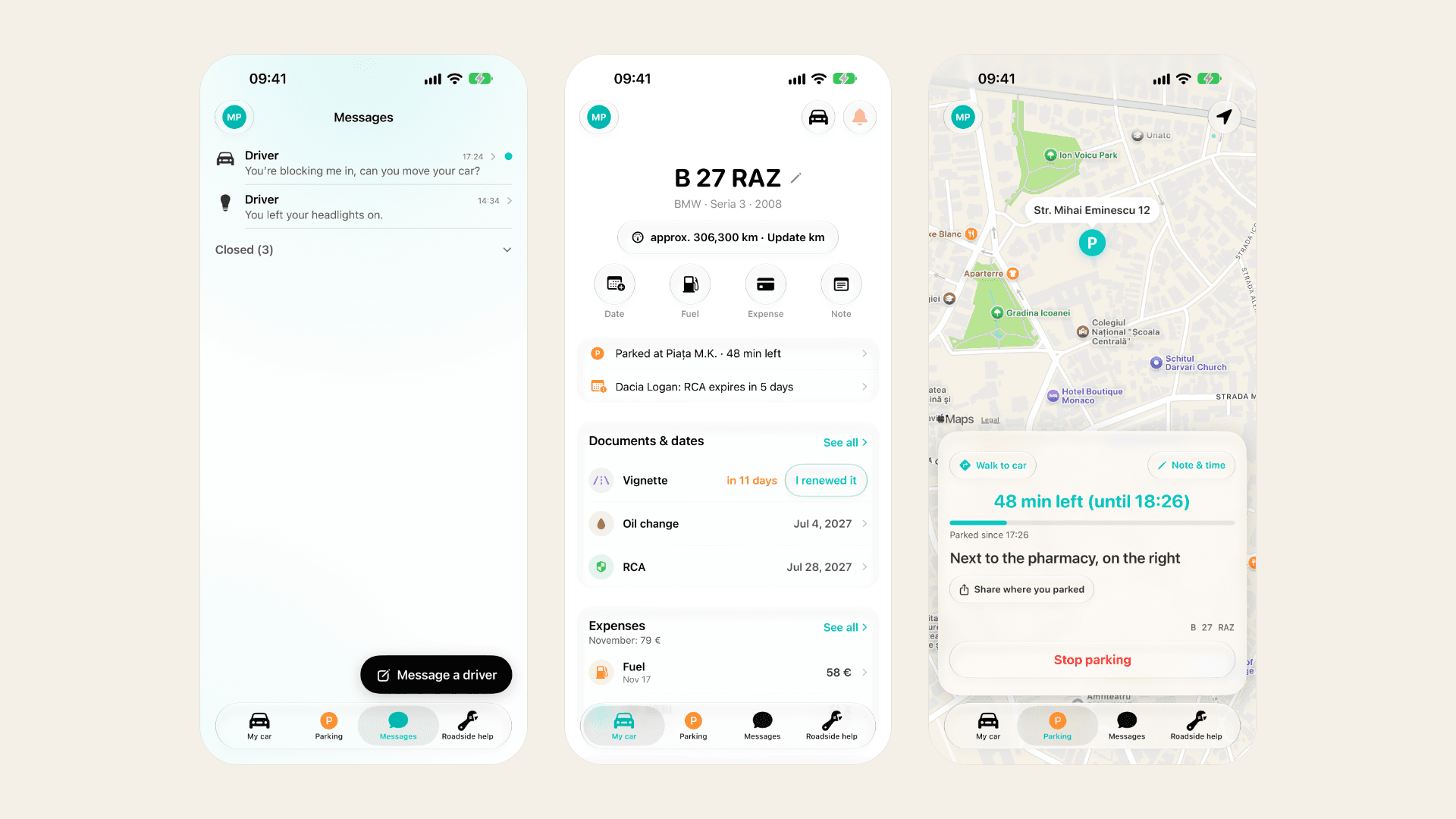
A driver who blocks someone in, leaves the lights on or scrapes a car can only be reached through a phone number left behind the windscreen, for anyone to copy. And the car’s paperwork, the inspection, the insurance and the road tax, waits in a drawer until the day it runs out.
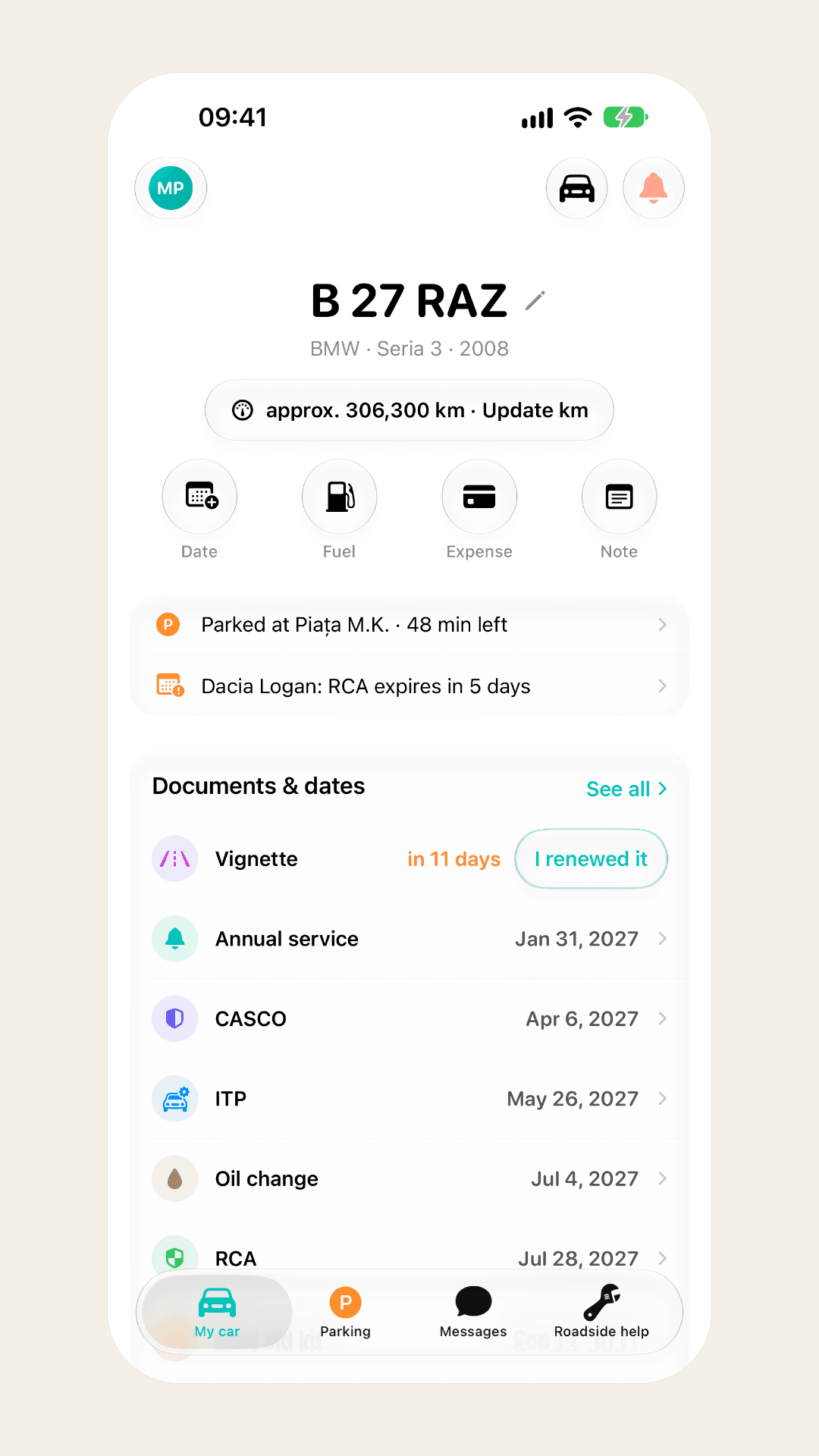
I am building one app for the car, for drivers in Romania first: a way to be reached without giving out a number, reminders for every document, the costs and service history, and where the car is parked.
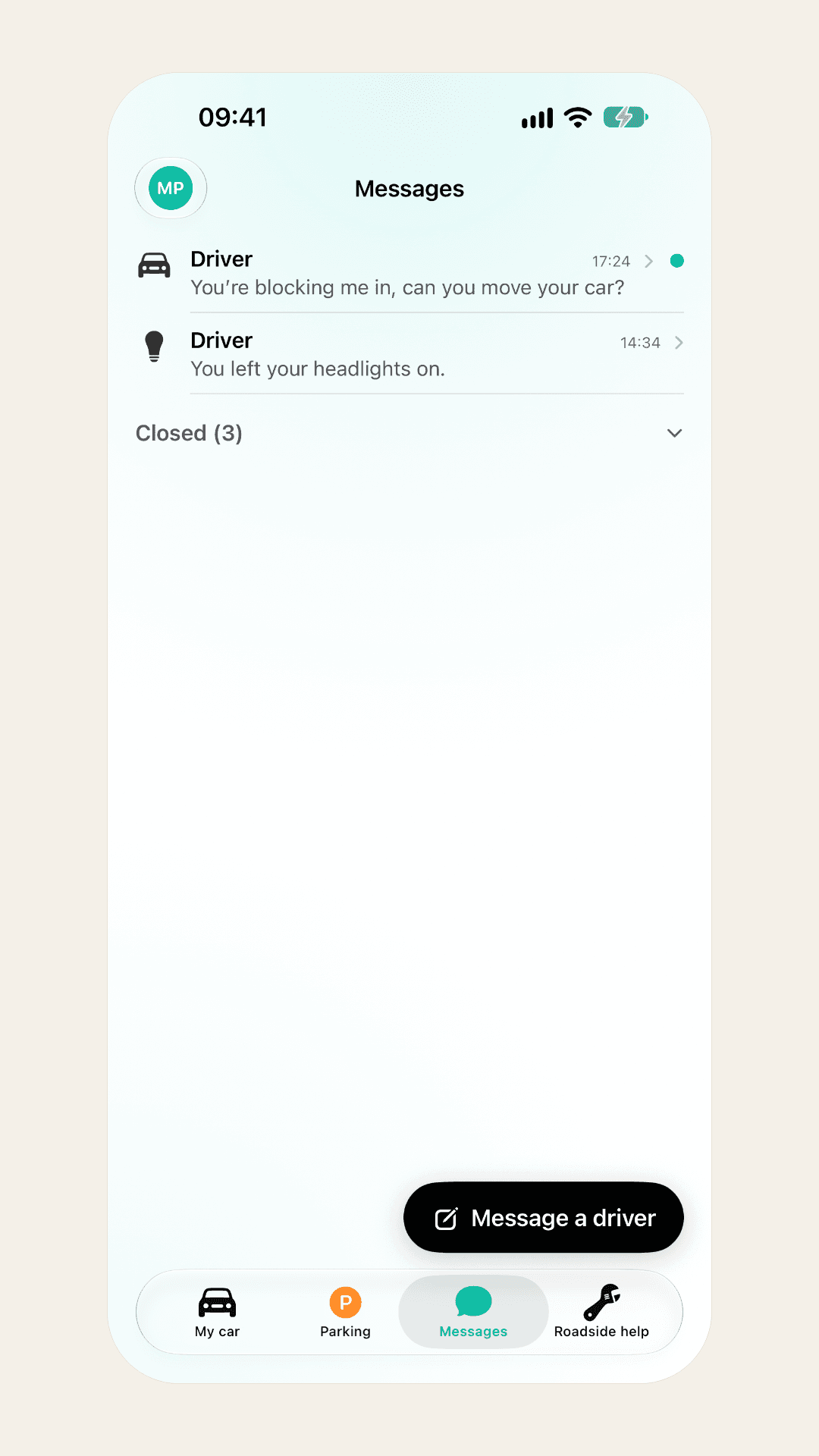
Why one driver writes to another
- Blocked in
- Lights on
- Damage
- Something else
Design Decisions
- 01
A code instead of a phone number
A QR sticker on the windscreen opens a conversation in the app. Both drivers see only an ID, and whoever scans it without the app writes from an App Clip.
Why: The number never leaves its owner, and the person who needs the car moved does not have to install anything to ask. Every message is also the moment the app proves itself to a driver who never installed it.
Reaching a driver
- Scan the code
- Write from the App Clip
- The owner replies in the app
- 02
One page per car
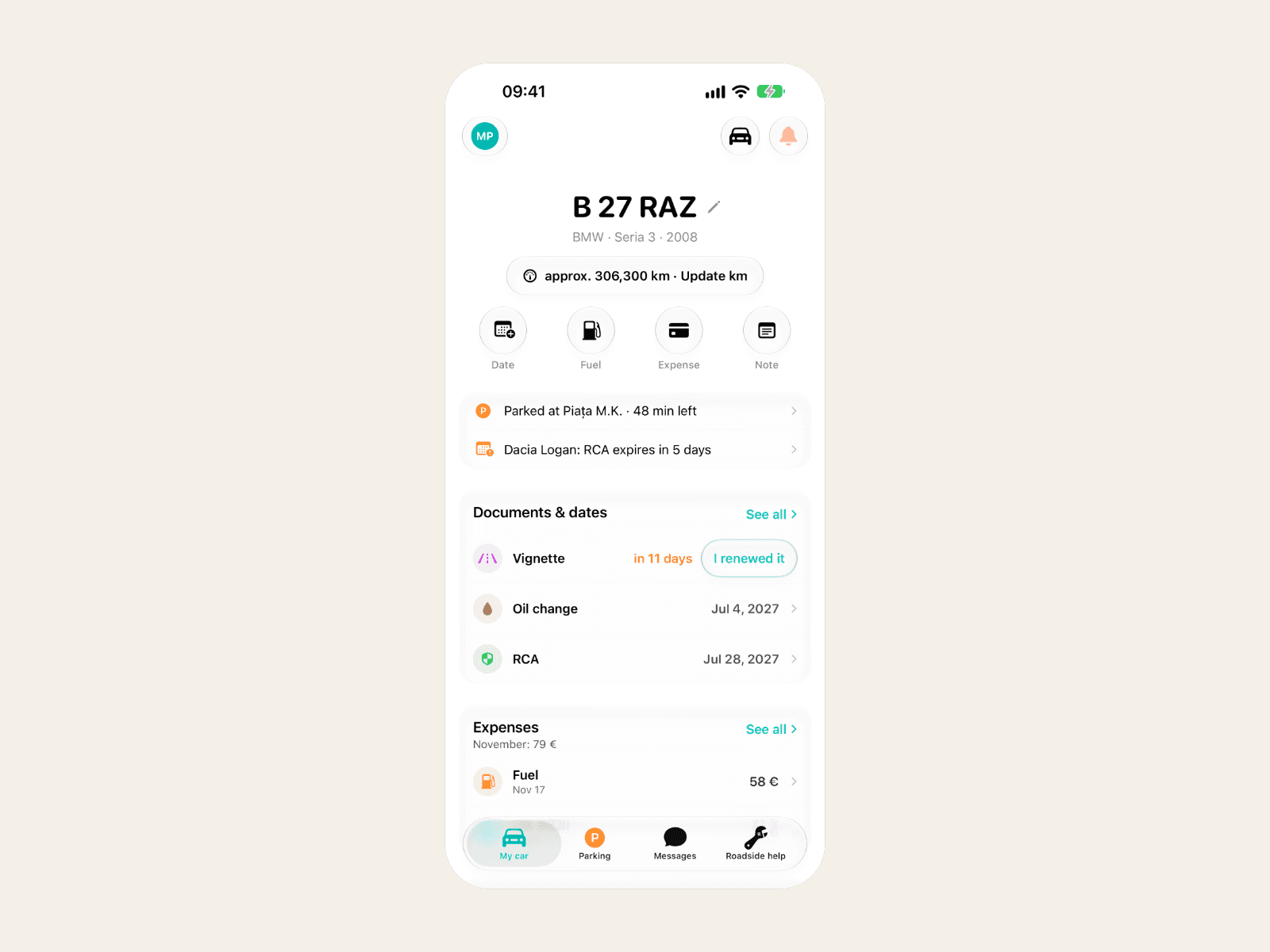
I rebuilt the Home tab, then removed it: almost everything on it already lived on the car’s own page, so the few things only Home had moved there.
Why: A tab that repeats other pages costs a place in the tab bar and teaches people to look in two places. The car’s page holds its dates, costs, notes and parking.
- 03
Free covers the obligations, Pro the discipline
Reminders for the inspection, insurance and road tax stay free, and so do messages, on both plans. Pro sells understanding the data: totals, cost per kilometre, charts, reports and the maintenance programme.
Why: The legal reminders are why a driver installs the app, and the messages are how it spreads. Charging for either would cost the growth the free plan exists for.
What each plan covers
- Free: dates and messages
- Pro: totals, charts, reports
- Data stays visible on both
- 04
A downgrade locks, it never deletes
When an account goes back to the free plan, a car above the free limit stays on screen but read-only. The server decides which, and the database rules enforce it.
Why: His data stays his and stays visible. Hiding or deleting what someone typed in themselves is how an app earns one-star reviews.
Back to the free plan
- Pro ends
- The server marks the cars over the limit
- They stay visible, read-only
- 05
Parking on the lock screen
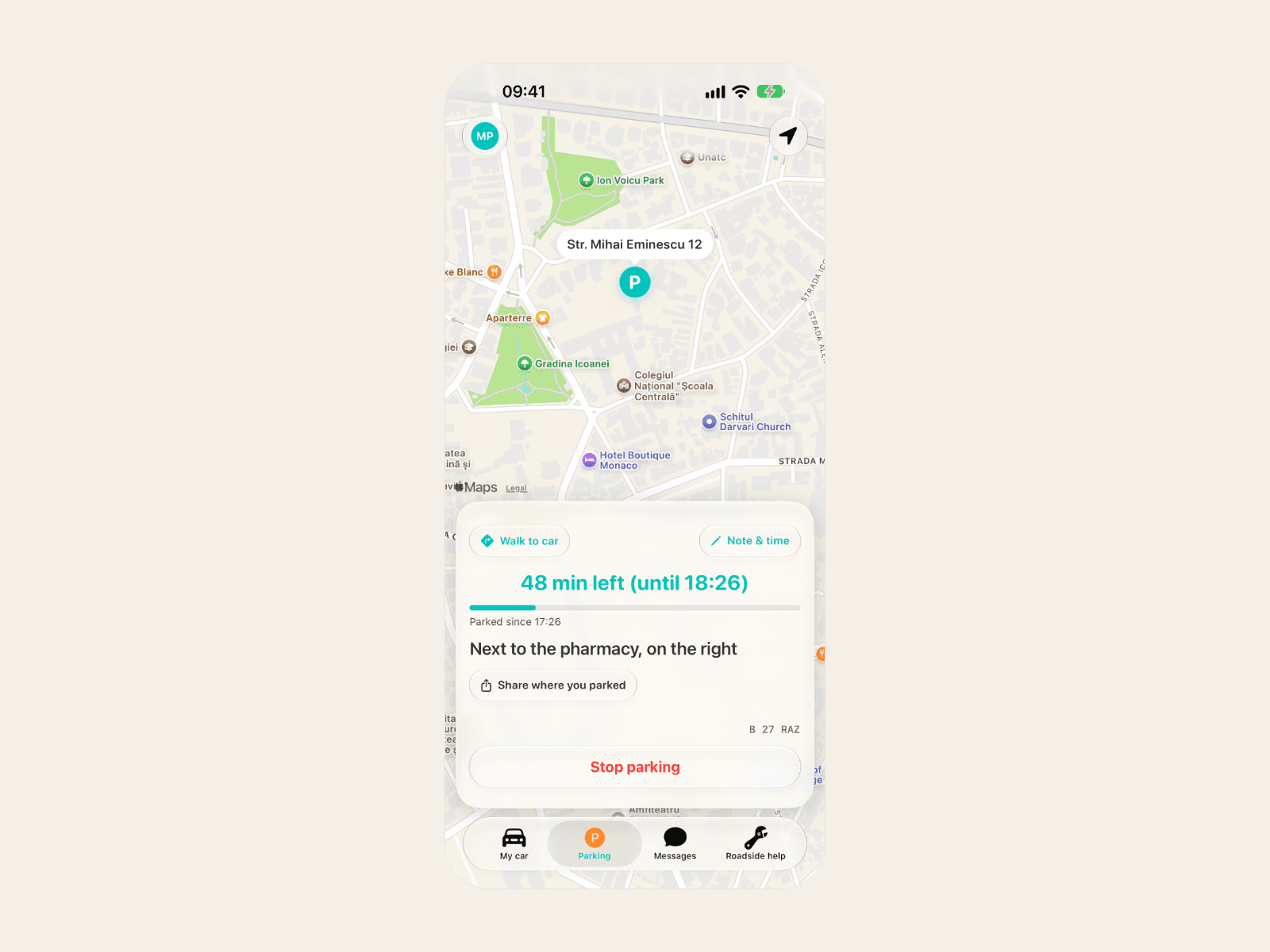
Starting a parking timer puts it on the lock screen and in the Dynamic Island as a Live Activity, with the spot’s address and a note.
Why: You check the time left when you are away from the car, with the phone locked: it should be there without opening anything.
The Solution
- A QR sticker on the windscreen: messages without phone numbers, from the app or an App Clip
- Reminders for the inspection, insurance and road tax weeks before they run out
- Expenses and service history for each car, in lei, euro, dollars or pounds, each expense at its own day’s exchange rate, in kilometres or miles
- A parking timer on the lock screen and in the Dynamic Island
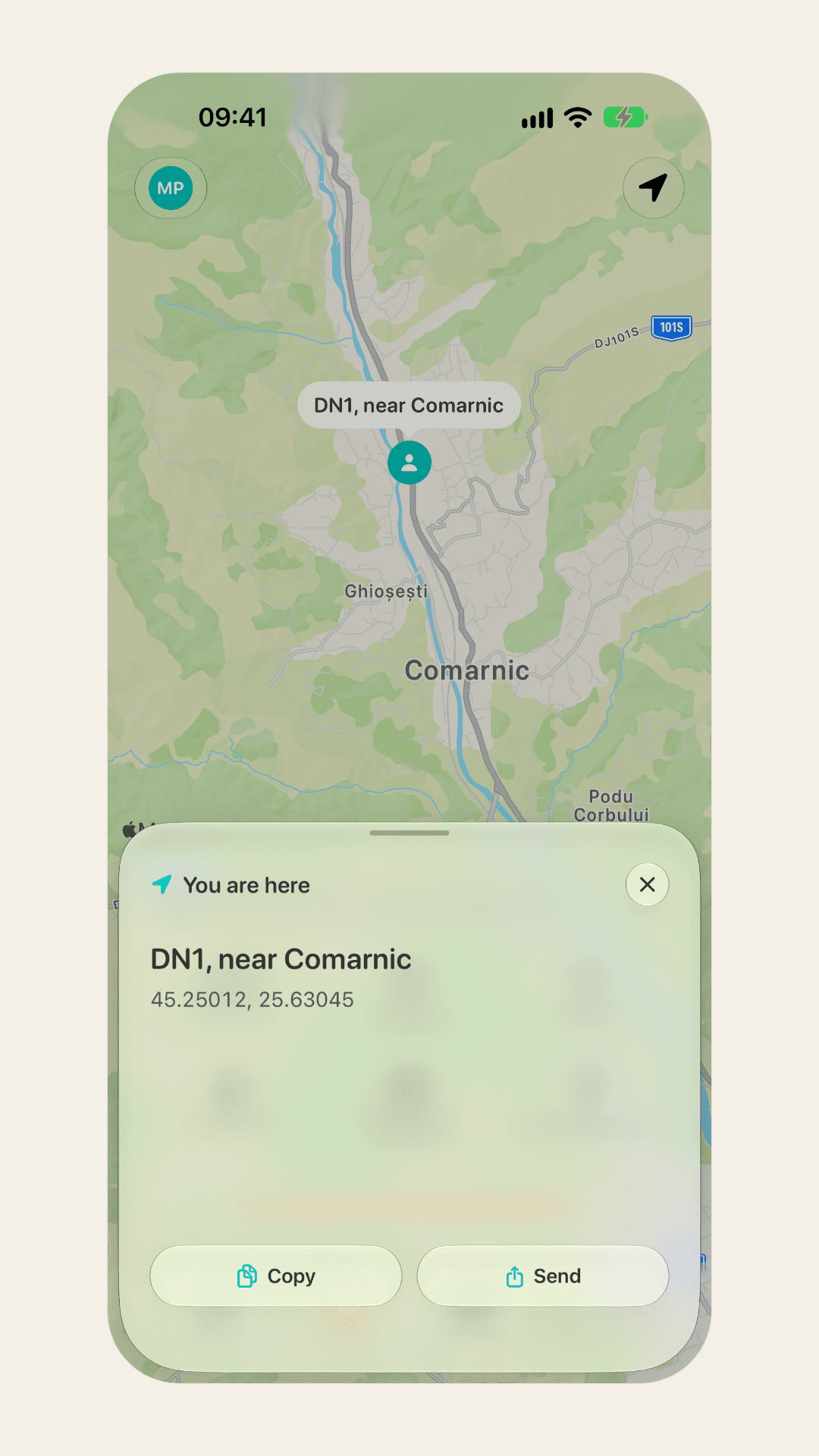
- Roadside help: towing, tyres and locksmiths on a map, a chat with them, and a call to 112
- Free and Pro plans, paid with Stripe on the web or in-app purchase on iOS, and business accounts with employees
- A web app and an admin hub: users, vehicles, providers, reports, the launch waitlist and every email template
- Data kept in the EU, exported or deleted by the owner whenever they like
Impact & Learnings
Work in progress: the app is not on the App Store yet, and a waitlist collects the drivers who want to know the day it lands.
Where it stands
3
apps: iOS, its App Clip and the web
2
languages: Romanian and English
4
currencies, each expense at its own day’s rate
- Development and production run in separate projects that never touch: a development build stops if its configuration names production
- One conversion rule for money and distances, shared by iOS and the web and pinned by the same test vectors
- The data stays in the EU, and the owner can export or delete it at any time
What I learned
- Building a page shows what it is: rebuilding Home made it plain that almost all of it lived somewhere else.
- A limit that hides what someone typed in costs more than it earns.
What I’d Do Differently
- Design the free and Pro plans before the first limit. The early limits were whatever was easy to gate, and two of them worked against the product.
- Separate development from production on day one. Doing it later meant changing every build, deploy and install that had assumed one project.